A reminder app for people who find time hard to manage
I thought I still had time,
and now it's almost gone.
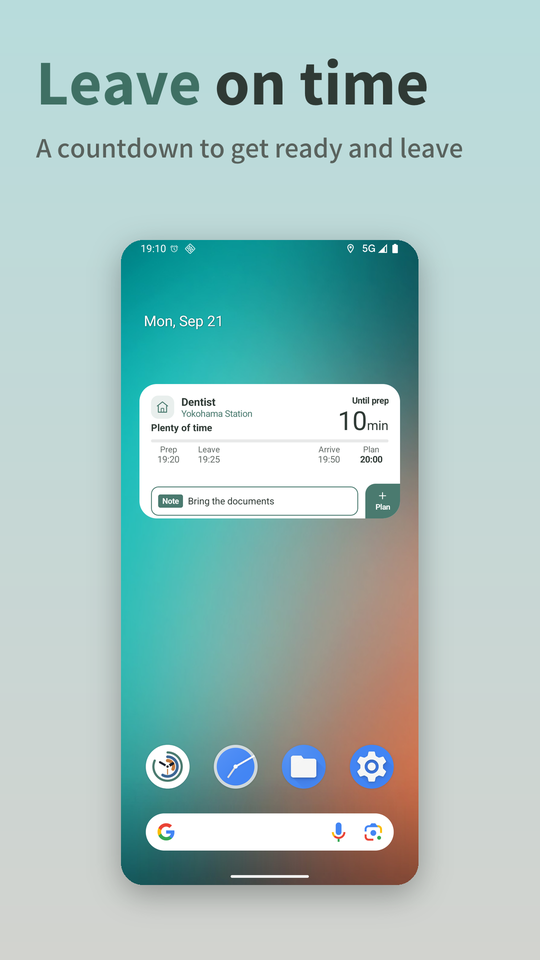
Yotemy turns your calendar plans into a countdown. It shows the time left instead of the clock, so you can see at a glance when to get ready and when to leave.


Free to start. Available for Android and iPhone.
Example. The ring shows only how much time is left. It has no clock marks.
Time left, not the clock.
Looking at a clock time doesn't tell you right away how many minutes you have. Yotemy shows the time left in large type, with the clock time as a supplement.
You have to check the time now and subtract.
It's simply the time you have left.
Add a plan, and it does the counting.
No setup needed for each plan.
Plans come in
Connect Google Calendar and your plans come in automatically. You can also add them by hand, or snap a chat screen or a piece of paper to read them.
Works back from the arrival time
For plans with travel, it estimates the time by train, bus, walking or car, and sets when to get ready and when to leave.
Stays on your home screen
Without opening the app, the widget shows the time left. While you're on social media or watching videos, a small countdown appears over other apps.
No nagging. Color does the telling.
It won't rush you with notification after notification. The color tells you what this moment is for.
Plenty of time (white)No need to move yet. It shows the time left until prep starts.
Get ready (green)A cue to start getting ready, not a warning. It switches to the time left until you leave.
On the way (blue)You're on track. The estimated arrival shifts with missed trains and traffic.
Running late (amber)When you're unlikely to make it at this rate. Even on the way, it turns amber if you look set to be late.
Example
New in 2.0
Get the things before your plans done in time, too.
Make the slides, print them, go shopping. Add what you need to do before a plan as a task.
- No need to decide what to do firstIn the gaps between plans, it suggests one task at a time, in the order that meets your deadlines.
- Deadlines move with your plansLink a task to a plan and its deadline follows the plan's prep time. Type "by Friday" and that becomes the deadline.
- Start and finish on the widgetStart a task, then choose Done or Stop for now. The more you use it, the better the suggestions fit the time you actually have.
Example
Real screens
Swipe sideways to see more.
Leave on time 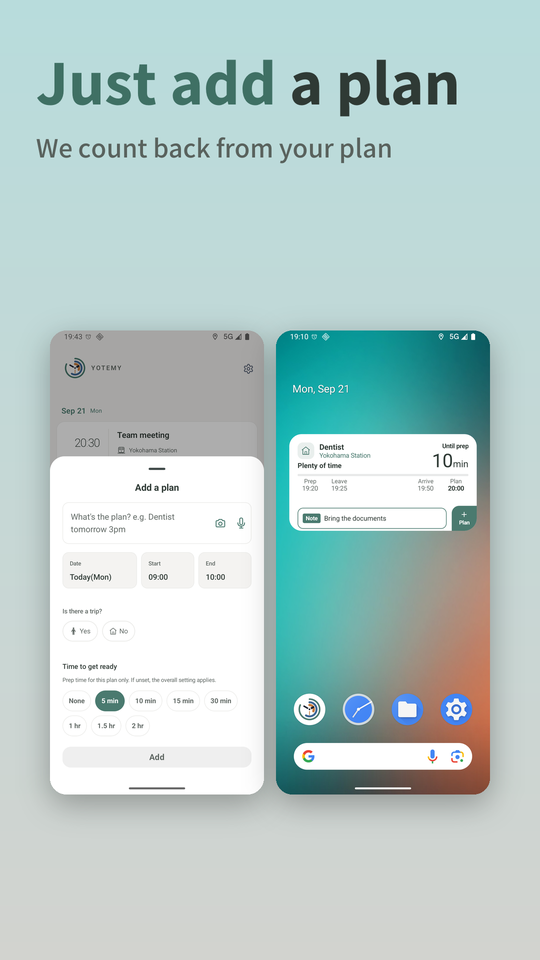
Just add a plan 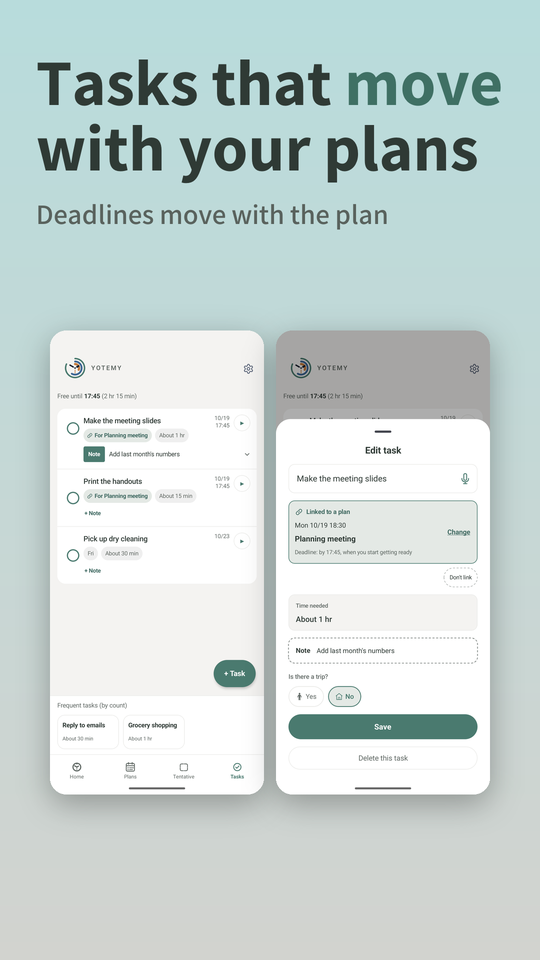
Tasks that move with your plans 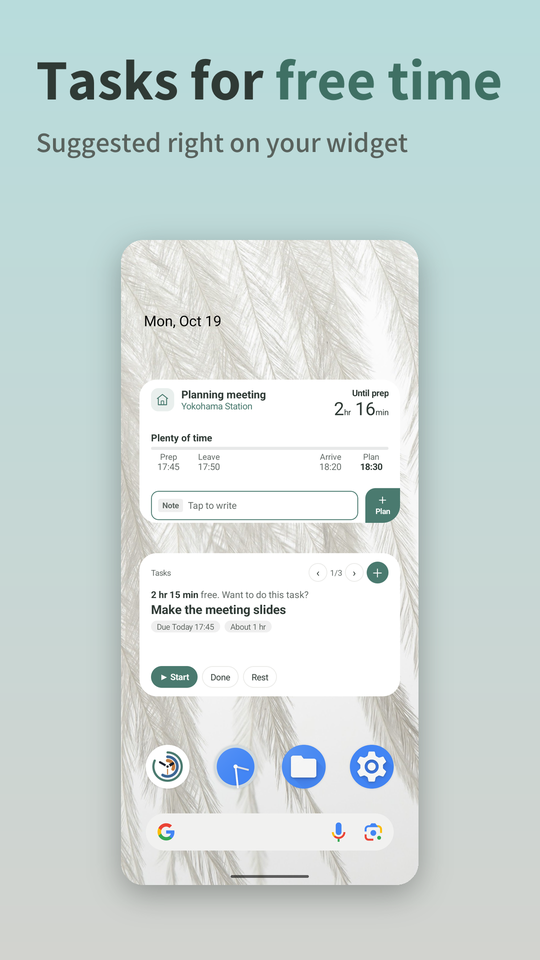
Tasks for free time 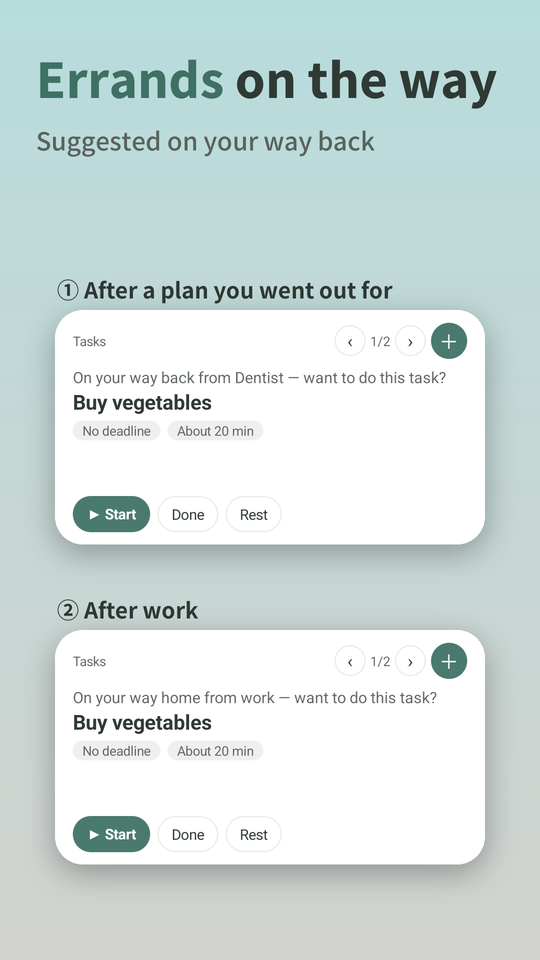
Errands on the way 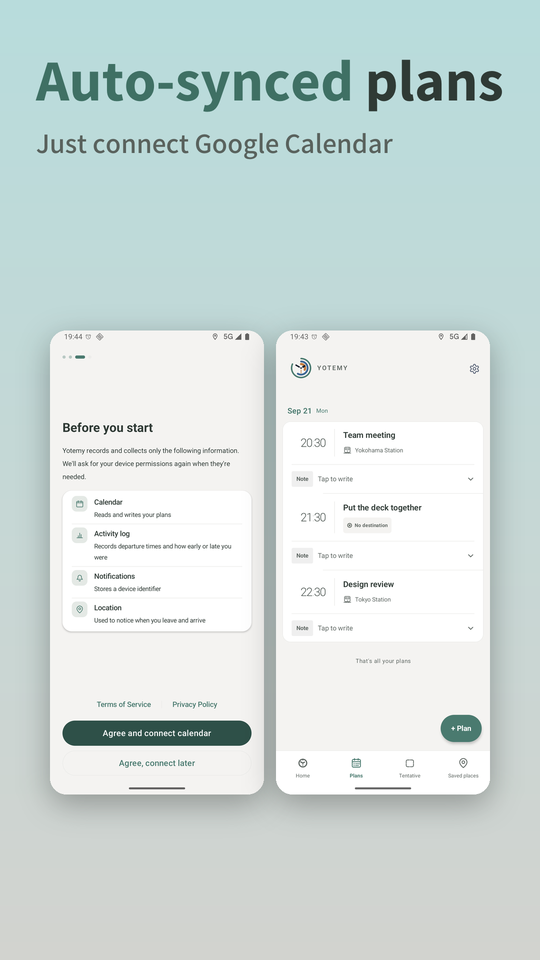
Auto-synced plans 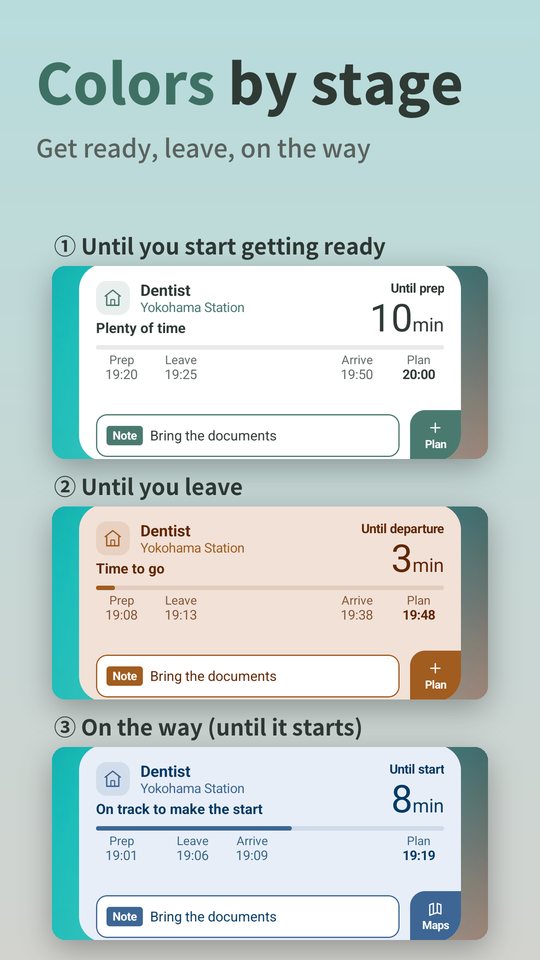
Colors by stage 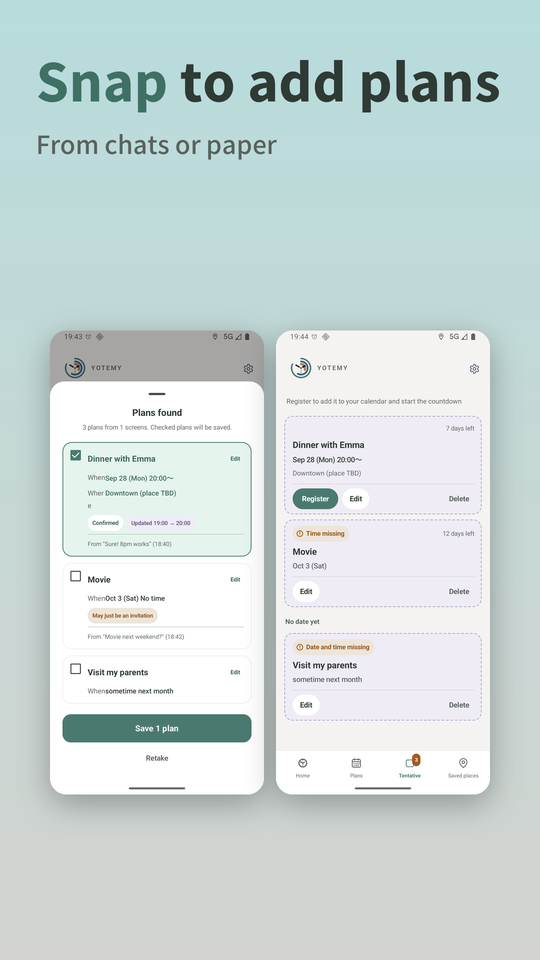
Snap to add plans
Updates and what's next
I'm turning the things I've struggled with into features, one by one.
What's next
- Coming in the next versionMorning alarm
Works back from your plan's start time and sets an alarm for when you need to wake up. It keeps ringing until you take your phone and move away from where you were sleeping. It starts off.
- Coming in the next versionOverlap alerts
When you add a plan, it lets you know if it overlaps another plan, travel time included.
- Under considerationPrep time suggested from your actual records
Suggests prep time for each plan, based on how long getting ready actually took.
- Under considerationA nudge to get ready for bed
Works back from tomorrow's wake-up time and lets you know the night before when to start getting ready for bed.
Release history
- 2.0.5Oct 2026
- Improved travel time estimates
- Trains: now includes the time from the station entrance to the platform, and from the platform to the exit
- Cars: estimated with the traffic expected at your departure time
- 2.0Oct 2026
- New: Tasks, suggested one at a time in your free time, ordered to meet deadlines
- Link tasks to plans and the deadline moves with the plan
- Added task widgets and errand suggestions on your way back
- 1.4.6Oct 2026
- Train times are now checked for the trains running when you leave
- The arrival estimate now updates even when you're stuck in traffic
- 1.4Oct 2026
- Read plans by snapping a chat screen or a piece of paper
- Added the Tentative tab for plans without a set date or time
Earlier updates
- iPhoneOct 2026
- Released on the App Store
- 1.3Sep 2026
- Train travel times can now be estimated outside Japan
- Travel modes not available in a country are no longer shown there
- 1.2Sep 2026
- Choose how many hours ahead the countdown starts (3 hours by default)
- 1.1Sep 2026
- The small widget now shows the time left in large type
- 1.0Sep 2026
- Released on Google Play
Version numbers are for Android.
Pricing
You can keep using it for free. Only features that cost us money are counted.
Free
Free
- Plans with travel
- 5 / month
- Tasks
- 5 / month
- Reading from photos
- 5 / month
Premium
Monthly subscription
- Plans with travel
- 100 / month
- Tasks
- Unlimited
- Reading from photos
- 10 / day
Countdowns for plans without travel aren't counted on either plan. For the Premium price, please check the store.
About the maker
Yotemy started as an app its maker built for himself, after years of struggling with his sense of time and with remembering plans. I'm turning the things I've struggled with into features, one by one.
Developed and run by an individual (trade name YOTEMY). Business details are on the Japanese commercial disclosure page.
FAQ
Does it work on Android or iPhone?
Can I use it without Google Calendar?
Can it estimate travel time anywhere?
Will I get a lot of notifications?
Is it a medical device?
How is my data handled? What if I stop using it?
How data is handled is described in the Privacy Policy. If you stop using Yotemy, you can delete your account and data.